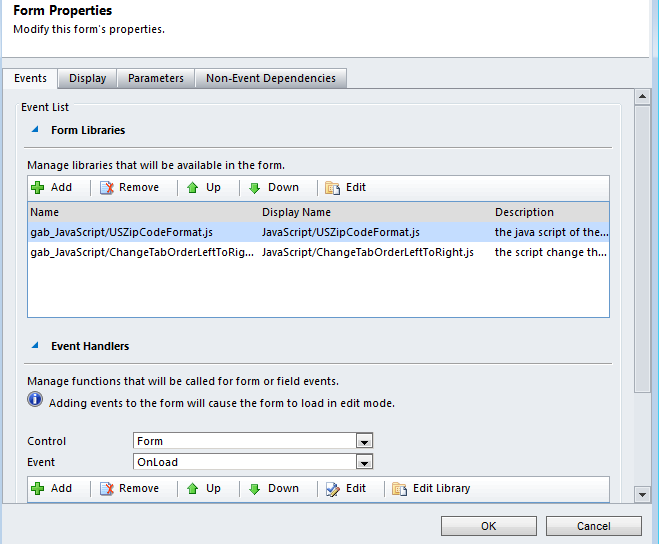
I have one situation, login user has multiple security roles, if the login user has permission for particular role, show some buttons/fields otherwise the hide buttons/fields.
It is not stright forward to find out the security role, So i wrote one javascript to find out the security role.
Here i am checking the user has "Content Manager" security role or not.
This function will get all the user's security role Id, passing security role id to get the security role name. If it match, it is true otherwise false.
This function calling odata web service and get the each security role name.
It is not stright forward to find out the security role, So i wrote one javascript to find out the security role.
Here i am checking the user has "Content Manager" security role or not.
var CMRole = CheckUserRole("Content Manager");
if (CMRole) {
//true to show buttons
} else {
//false to hide buttons
}
if (CMRole) {
//true to show buttons
} else {
//false to hide buttons
}
This function will get all the user's security role Id, passing security role id to get the security role name. If it match, it is true otherwise false.
function CheckUserRole(roleName) {
var currentUserRoles = Xrm.Page.context.getUserRoles();
for (var i = 0; i < currentUserRoles.length; i++) {
var userRoleId = currentUserRoles[i];
var userRoleName = GetRoleName(userRoleId);
if (userRoleName == roleName) {
return true;
}
}
return false;
}
var currentUserRoles = Xrm.Page.context.getUserRoles();
for (var i = 0; i < currentUserRoles.length; i++) {
var userRoleId = currentUserRoles[i];
var userRoleName = GetRoleName(userRoleId);
if (userRoleName == roleName) {
return true;
}
}
return false;
}
This function calling odata web service and get the each security role name.
function GetRoleName(userRoleId) {
var selectQuery = "RoleSet?$top=1&$filter=RoleId eq guid'" + userRoleId + "'&$select=Name";
var odataSelect = GetServerUrl() + selectQuery;
//alert(odataSelect);
var roleName = null;
$.ajax({
type: "GET",
async: false,
contentType: "application/json; charset=utf-8",
datatype: "json",
url: odataSelect,
beforeSend: function (XMLHttpRequest) { XMLHttpRequest.setRequestHeader("Accept", "application/json"); },
success: function (data, textStatus, XmlHttpRequest) {
var result = data.d;
if (!!result) {
roleName = result.results[0].Name;
}
},
error: function (XmlHttpRequest, textStatus, errorThrown) {
//alert('OData Select Failed: ' + odataSelect);
}
});
return roleName;
}
var selectQuery = "RoleSet?$top=1&$filter=RoleId eq guid'" + userRoleId + "'&$select=Name";
var odataSelect = GetServerUrl() + selectQuery;
//alert(odataSelect);
var roleName = null;
$.ajax({
type: "GET",
async: false,
contentType: "application/json; charset=utf-8",
datatype: "json",
url: odataSelect,
beforeSend: function (XMLHttpRequest) { XMLHttpRequest.setRequestHeader("Accept", "application/json"); },
success: function (data, textStatus, XmlHttpRequest) {
var result = data.d;
if (!!result) {
roleName = result.results[0].Name;
}
},
error: function (XmlHttpRequest, textStatus, errorThrown) {
//alert('OData Select Failed: ' + odataSelect);
}
});
return roleName;
}


 MS Dynamics CRM Contributor